

 
|

|
Rejecting a Requisition
The indents/requisitions can be rejected by stating a reason for the same. Rejections can be done only by an authorized person who has been assigned the rights to do so in the system.
The requisitions can be rejected one by one from the main requisition screen or in bulk using the Approve Requisitions screen.
Using the main requisition screen:
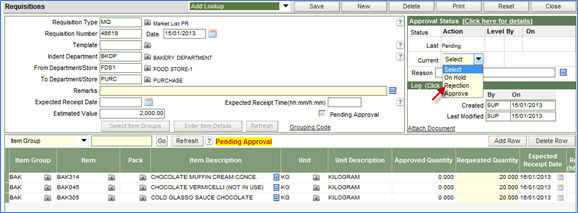
1. Choose the option of reject from the drop down list in the status section of the screen.
2. Enter the reason for rejecting in the field of Reason.
3. Click the Save button to complete the process.
Using the Approve Requisition screen:
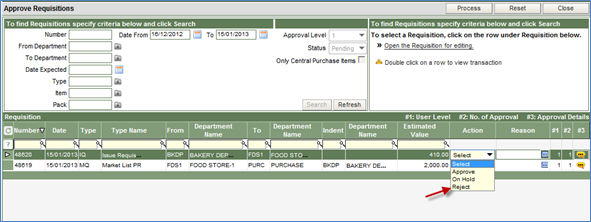
1. Select the option of Reject from the drop down list in the Action column, against the requisition that is to be rejected.
2. Click on the reason button in the next column to enter the reason of rejection.
3. Click the Process button to complete the process.
